Schedule once, broadcast everywhere means you write a post one time, choose the accounts and platforms it belongs on, and SkedCast publishes a version for each one at the scheduled time. It is the idea SkedCast is built on: a bulk-first scheduler for agencies and teams, with client workspaces, approvals and reports.
Key takeaways
- SkedCast exists to kill the per-account, per-platform copy-paste tax.
- Compose once and fan out across 11 platforms and many accounts at once.
- Bulk import a whole month from CSV, Google Sheets, or AI in one pass.
- Per-account pacing, per-client workspaces and role-based client access keep scale organized.
On this page
What does “schedule once, broadcast everywhere” mean?
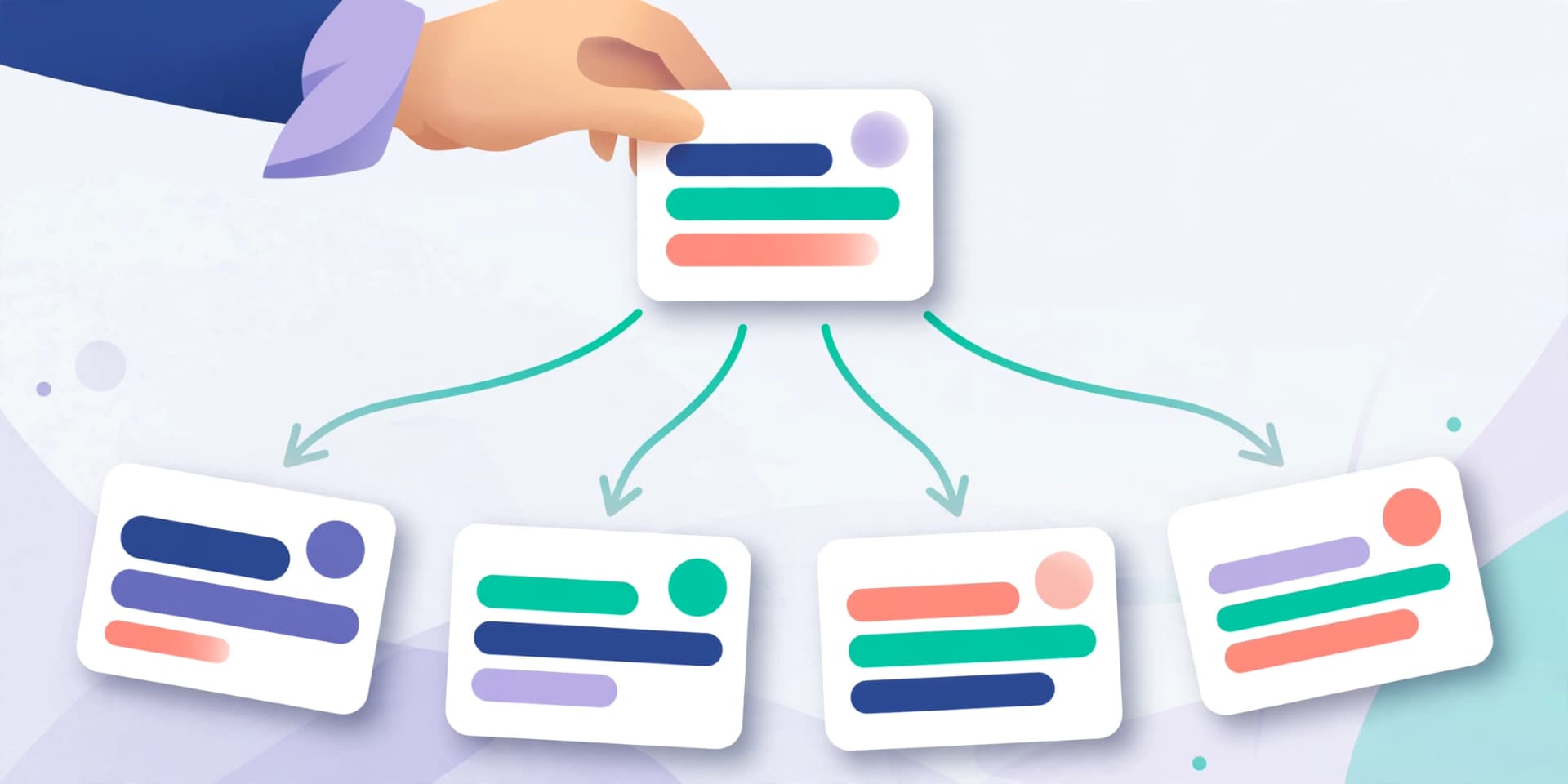
It means one compose action produces every publish you need. You write the post a single time, choose the accounts and platforms it should go to, set the time, and SkedCast creates one scheduled publish for each destination. Nothing is copied from tab to tab, and nothing is rebuilt for the next account.
The phrase is also the shortest description of what SkedCast is for. Where a single-brand tool assumes one voice on a few accounts, SkedCast assumes an agency: many clients, many platforms and a small team that has to make all of it look effortless.
| Step | By hand | With SkedCast |
|---|---|---|
| Writing | Per account | Once |
| Adapting | Manual | Per destination |
| New account | Redo work | One more tick |
| Monthly plan | Post by post | Bulk import |
Why did the problem not go away?
Because the work scales with accounts, not with ideas. Watch an agency social manager and you see the same scene on a loop: write a post, paste it into one tool, tweak it for the next platform, switch accounts, paste again, fix the hashtags, switch clients, repeat. Multiply that by 11 platforms and a few hundred accounts and the job stops being strategy and becomes data entry with a deadline.
Most of the tools we tried started from a single brand with a handful of accounts. Fewer started from what an agency actually is, so we built the tool that starts from that assumption.
How does compose-once fan-out work?
SkedCast turns one composed post into one row per destination. Each row has its own schedule, its own per-platform version and its own publish status, so a post can succeed on some platforms and fail on others without the whole batch failing together. The compose-once fan-out entry in the glossary defines the term.
The same content can also fan out to many accounts on the same platform, such as every client your agency runs an Instagram for, in one action. Adding the eleventh account no longer means doing the work an eleventh time; it means ticking one more box. The post can go to 11 platforms, and posting to multiple social media platforms at once shows what changes between them.
How do you schedule once and broadcast everywhere?
Five steps take a post from idea to every destination. The first two happen once per client; the rest happen for every post.
Connect the accounts
Add each client's accounts to that client's workspace, so they are ready to be picked.
Write the post once
Compose the caption and attach the media a single time.
Pick the destinations
Tick every account and platform the post belongs on, including several accounts on one platform.
Check each version
Review the version SkedCast prepared for each destination and adjust where a platform needs something different.
Set the time and schedule
Choose when it goes out. SkedCast publishes each destination at that time and shows its status.

Is bulk scheduling built in from the start?
Yes: SkedCast treats bulk as the front door, not a power-user afterthought. You can plan a client's entire month in a spreadsheet, then bring it in through a guided import that validates every row before anything is scheduled. A batch takes up to 2,500 posts per upload on Agency. The full walkthrough is in our guide to bulk-scheduling social media posts, and the bulk scheduling feature page shows the import itself.
- Import from CSV or Google Sheets: hundreds of posts in one pass
- Generate drafts with AI when you are starting from a blank page
- Validate and preview every row before it commits, so a problem shows up before publish
- Auto-distribute the batch across your cadence instead of placing posts by hand
How does SkedCast keep a large batch under control?
By pacing every account and spreading a batch out instead of firing it in one burst. SkedCast’s default Instagram pacing, for example, is 80 / day, with at least 15 min between posts per account, and each platform has its own default, listed on the platforms page.
Organization scales the same way. Every agency’s data is kept apart from every other customer’s by row-level security in the database. Within your agency, each client gets its own workspace and staff are scoped by role: Members can be limited to specific clients, so a freelancer on one brand does not see another. That per-client narrowing is enforced by the application, and Owners and Managers can see every client. Approvals, which gate what publishes, run as one internal stage on every plan and as longer chains from the Studio plan, and scheduled client reports start on the Solo plan. See managing multiple social accounts for how that looks day to day, and a social media inbox for agencies for how a team shares the replies.
Who is SkedCast for?
SkedCast is for agencies and teams that have outgrown single-brand tools: the ones managing dozens to hundreds of client and influencer accounts, where the bottleneck is no longer ideas but the mechanics of getting them published everywhere, consistently, on time. The agency page covers how a team of that shape runs on it, and pricing is by connected account, not by seat.
If your week disappears into recomposing the same post for the hundredth time, that is the week SkedCast is designed to give back. Schedule once. Broadcast everywhere.
What does one post become when it fans out?
One composed post becomes one scheduled destination for every account you ticked. Each destination keeps its own time, its own text and its own status, so the calendar can show Instagram as published, LinkedIn as scheduled and a third account as failed, all from one compose action. The word SkedCast uses for a destination is a target, and everything below is about what you can do with a target after the fan-out.
That is the part most people do not expect. Fan-out is not a one-way copy. The post is the idea, and each target is its own small job that you can move, retry or cancel without touching the others. The content calendar shows every target, filtered by client, platform, campaign or status.
| Action | Works on | Effect on the others |
|---|---|---|
| Reschedule | A target still waiting to publish | None |
| Retry | A target that failed | None |
| Cancel | A target not yet published | None |
| Edit text | A target before it goes out | None |
How does each network get its own version?
Each network starts from your main text and can then take its own. In the composer you write the main caption once, and a network that needs different words has its own text for that network. What a target publishes is its own text first, then its network’s text, then the main text, in that order, so you only write what differs. Where a network offers a first comment, it can take its own as well.
This matters because the networks disagree about length. The table shows the character limit the composer enforces for five common destinations, so a caption that fits one is flagged on another before you schedule.
| Network | Characters | Hashtag limit |
|---|---|---|
| X | 280 | None enforced |
| Bluesky | 300 | None enforced |
| Threads | 500 | 1 |
| 2,200 | 5 | |
| 3,000 | None enforced |
Can two accounts on the same network get different text?
Yes. Two accounts of one network in the same post often need different words: a brand Page says we and its founder’s profile says I, or one account needs a different link in its first comment. The composer lets you edit one account’s caption and first comment on its own. Leave it empty and that account uses its network’s text.
A thread is the exception. While a network posts as a thread, its text is built in the thread builder, so there is no separate caption to edit for an account.
What happens when one destination fails?
The other destinations carry on and only the failed one needs attention. A target that fails shows as failed with its reason, and you can retry it without scheduling the post again. A retry applies to a failed target, not to one that has already published.
A post is marked published only once the platform confirms it, so the status you see is the platform’s answer and not a guess. For the day-to-day view, filter the calendar by status to see what is still waiting and what needs a second look.
- Read the failure reason on the target before you retry
- Fix the cause first: a caption over the limit, a missing file or a disconnected account
- Retry the one target, not the whole post
- Cancel a target you no longer want, up to the moment it publishes
Can each version go out at its own time?
Yes. A post is created with one time, so every destination goes out together by default, and after that you can move one target to a different time on its own. That is the clean way to stagger a launch: schedule once, then push the LinkedIn version to mid-morning and leave the rest at nine.
You can only move a target that is still waiting. Once a target has published it stays where it is, and a target held for approval must be approved first. Moving one target never moves the others.
How much work does fan-out save an agency?
It turns work that grows with accounts into work that grows with ideas. Take an agency with 12 clients, each with three connected accounts, posting the same announcement to all of them. By hand that is 36 separate posts to write, paste and schedule. With fan-out it is one post with 36 ticked destinations, plus a few minutes to adjust the versions that need different words.
Scale that to a week of five announcements and the by-hand count is 180 posts against five composes. The numbers are simple arithmetic, not a measured result, but they show where the time goes: the cost sits in repeating a step, and fan-out removes the repetition rather than speeding it up.
| Approach | Posts to make | Where the time goes |
|---|---|---|
| By hand | 180 | Writing and pasting |
| Fan-out | 5 | Checking versions |
| Fan-out plus bulk import | 1 file | Preparing the file |
How does fan-out fit with bulk scheduling and cross-posting?
Fan-out is the sending half and bulk scheduling is the planning half. Fan-out sends one post to many accounts. Bulk scheduling brings in a whole month of posts from a file and sends each one to the accounts it names. The guide to scheduling one post to many social accounts at once walks through the steps, and bulk uploading posts from a CSV covers the file.
Cross-posting is the same idea seen from one network. The glossary entry for cross-posting defines it, and the step-by-step guides show what changes between two networks, such as cross-posting Instagram to Facebook or cross-posting X to Bluesky. If you are unsure whether you want to repeat a post or promote it, read cross-posting versus cross-promotion first.
How long can the shared caption be on each network?
Write the shared caption to the tightest limit among the networks you tick, then add length only where a network allows it. The limits belong to each network and change, so they come from its own documentation. X’s developer documentation says a post can contain up to 280 characters (read 22 November 2026). The same page counts every URL as 23 characters and every emoji as 2 characters (read 22 November 2026).
The other three are looser. The Threads API documentation says text posts are limited to 500 characters (read 22 November 2026), and that a carousel post can hold up to 20 images, videos or a mix of the two (read 22 November 2026). Bluesky’s post lexicon sets post text at 300 graphemes (AT Protocol lexicon, read 22 November 2026). It also allows up to 8 additional hashtags beyond those in the text (AT Protocol lexicon, read 22 November 2026). LinkedIn’s help says a post can contain up to 3,000 characters (read 22 November 2026).
So a caption that fits X fits all four, though X counts a link as 23 characters and an emoji as 2, which leaves less room than the number suggests. When one network needs more or less, give that account its own caption instead of cutting the shared one for everybody.
| Network | Text limit | Counted how |
|---|---|---|
| X | 280 characters | URL 23, emoji 2 |
| Threads | 500 characters | Text posts |
| Bluesky | 300 graphemes | Post text |
| 3,000 characters | Post text |
When is broadcasting the wrong tool?
Fan-out is the wrong tool when the networks need genuinely different content, not the same message in a different shape. A 90-second vertical video for TikTok, a long text post for LinkedIn and a thread for X are three pieces of work, and sending one caption to all three will not make them one idea. In that case compose each as its own post, still from the same workspace.
Some details also cannot be shared. A scheduled thread cannot be edited, only rescheduled or cancelled, and an Instagram sticker such as a poll cannot be added to a Story after it is live. Check those before you decide to send one thing everywhere.
What should you check before you broadcast?
Run through five checks before you schedule a broadcast, because a mistake repeats on every destination. Each one takes seconds in the composer and saves a failed target to retry afterwards.
Read the destination list
Confirm every ticked account belongs to the right client, since the composer shows only the chosen client’s accounts.
Look at the character counters
Fix any version flagged as over its network’s limit, or give that network its own text.
Check the media
Make sure the file suits every network you ticked, for example a video where a network only takes photos.
Check the links
A link that works on one network may need a different version on another, so use a per-network or per-account text where it does.
Set the time and send for approval if needed
Choose the time, and if the client reviews posts, send it to approval before it publishes.
How do approvals and roles work with a broadcast?
A fanned-out post follows the same approval route as any other. One internal approval stage is available on every plan, chains of stages start on the Studio plan, and the reviewer can approve, request changes or reject with a note. Editing an approved post sends it back to review, so a late change does not slip out unseen.
Roles decide who can broadcast to which clients. A Member can be limited to specific clients, so a freelancer working on one brand cannot tick another brand’s accounts. The social media approval workflow post explains how to set the stages up for a team.
Which settings still differ by network?
A few settings belong to the network and cannot come from the shared text, so the composer asks for them when you tick that network. Fan-out removes the repeated writing, not these choices. Set them when you schedule, so a missing choice is fixed in the composer and not found at publish time.
Three examples show the pattern. Pinterest needs a board, so a Pin cannot be scheduled until you pick one. TikTok asks you to choose who can see the video, and there is no default to fall through to. On networks that take a title, such as YouTube, the first line of the caption is used as the title and the rest as the description. Elsewhere the whole caption is used.
| Network | What you choose | Default |
|---|---|---|
| The board for the Pin | None, required | |
| TikTok | Who can view the video | None, you pick |
| YouTube | Title, from the first caption line | Caption’s first line |
How do you broadcast a whole month at once?
Plan the month in a spreadsheet and bring it in as one batch, so each row is a post and fan-out happens row by row. up to 2,500 posts per upload on Agency. Every row names the accounts it goes to, so one row can reach several accounts, and the import checks each row before anything is scheduled.
Rows with no time are spread across the window you set, between a start and an end date, instead of landing at one moment. The import also keeps each account’s posting limits, so a month of posts does not stack onto one account in one hour. The bulk scheduling feature page shows the screen, and the bulk scheduling guide walks through the file.
What does pacing mean when many destinations are due together?
Pacing spaces the posts for one account, so many destinations due at the same minute do not all go to the same account together. It works per account: ten clients posting at nine are ten different accounts, so each is paced on its own, while ten posts to one account are spread out.
SkedCast’s default pacing for each connected Instagram account is 80 / day, with at least 15 min between posts, and for each connected Facebook account 50 / day, with at least 1 min between posts. The platforms page lists the default for every network.
How do you check the results after a broadcast?
Look at the calendar first, then at analytics. Filter the calendar by status to see what published, what is still waiting and what failed, and narrow it by client or platform to look at one account group at a time. A published status means the platform confirmed the post.
For performance, the analytics overview is on every plan, and the analytics feature page describes what it shows. Compare the same post across its destinations, since the same message often lands differently on each network. That comparison is the way to learn which destinations are worth keeping in a broadcast.
How do clients see and approve a broadcast?
Clients can review posts without a SkedCast login through guest approval links, which start on the Studio plan. The client opens the link, sees the posts waiting for them, and approves, asks for changes or rejects with a note. Your team sees the answer in the publishing list.
Because each client has its own workspace, a broadcast to one client’s accounts never shows another client’s posts in that review. See client approval links for social media posts for the full setup.
Which accounts should share a broadcast?
Broadcast to accounts that serve the same message for audiences that overlap little, and keep the rest as separate posts. A brand’s Page, its Instagram and its LinkedIn Page are a natural group: one announcement, three audiences. A brand and its founder’s profile fit too, with the founder’s version written in the first person.
Be careful with accounts whose audiences overlap heavily, such as two accounts run by the same person in the same niche. Followers who see the same line twice a day stop reading it. For those, send the post to one account and vary the second.
- Same message, different audience: broadcast
- Same audience, different brand voice: write a version for each account
- Different message or different media: separate posts
- Test accounts: keep them in their own client so they never join a live broadcast
What does a week with fan-out look like?
A week has a rhythm: plan once, review once, then let the schedule run. The example below is an illustration of one way a small agency team could use it, not a measured routine.
| Day | Task | Who |
|---|---|---|
| Monday | Plan the week, import the file | Your team |
| Tuesday | Review through approval links | Clients |
| Wednesday | Fix flagged versions and failed targets | Your team |
| Thursday | Check the calendar and replies | Your team |
| Friday | Read results, plan the next week | Your team |
How do you set up a client so broadcasting works from day one?
Set up each client once, and every broadcast after that reuses that setup. Create the client’s workspace, connect each of their accounts to it, and invite the people who will work on it. After that, the composer offers only that client’s accounts, and a post to them takes a few ticks rather than a new setup.
The first connection is the slowest, because each network asks the account owner to approve access. For a client with several accounts, send one invite link and let them connect the accounts themselves; the guide to client onboarding with a connect invite link explains how. Once the accounts are connected, they stay available for every future post.
Is fan-out the same as copying a post by hand?
No, and the difference is what happens after you press schedule. A copy is a separate post that knows nothing about the others, so changing one means changing each by hand, and a failure on one is easy to miss. A fanned-out post keeps its destinations together: you see them as one post, and you can still act on each destination alone.
That link between destinations is also what makes review easier. A reviewer opens one post and sees the version for each network, instead of opening a dozen near-identical drafts and comparing them by eye.
- A copy is one more post to track; a destination is part of the post you already track
- In the composer, changing the main text updates every destination that has no text of its own
- A destination with its own text keeps it, so a deliberate difference stays
- Failures, retries and reschedules happen per destination, not per copy
How do you keep a broadcast consistent across a team?
Agree on three things before the team starts: who writes the main text, who adjusts the per-network versions, and who approves. Without that, two people fix the same caption on different networks and the post ends up with mixed voices.
Roles help here. Owners and Managers can work across every client, and a Member can be limited to specific clients. Pair that with the approval route, and the person who writes does not have to be the person who sends. For the wider picture of running many accounts, read managing multiple social accounts, and for how a team shares replies once the posts are live, a social media inbox for agencies.
Can a broadcast start from a feed instead of a draft?
Yes, for content that already exists elsewhere, such as a blog or a podcast. On the plans that include it, a feed can create posts that then fan out to the accounts you choose, so the announcement is written once at the source and not again in the scheduler. The RSS and evergreen page describes the feature, and the guide to bulk scheduling from an RSS feed shows the steps.
Treat a feed as a starting draft. The caption a feed produces is a title and a link, which is a fine base for one network and a thin post on another, so review the versions the same way you would for any other broadcast.
What tips help you choose which posts to broadcast everywhere?
A good candidate says one thing that is true for every audience it reaches: an announcement, a launch, an offer, an opening time, a new article. These posts need no adapting beyond length and format, so the saving is large and the risk is small.
A poor candidate leans on the place it is posted. A joke that works on X, a behind-the-scenes clip made for Stories or a long argument written for LinkedIn each belongs to its network. Write those as their own posts, then use the calendar to keep the week balanced. The test is simple: if you would be happy for a follower of two of your accounts to see the same words twice, broadcast it.
Plan the mix as well as the post. Most weeks hold a few broadcast announcements and a few posts made for one network, and a scheduler is at its best when it handles both from the same calendar. Look at the week as a whole before you send it, so the shared posts do not crowd out the ones that earn attention on a single network.
Sources and how this was checked
This post describes SkedCast's own product. The platform count, pacing defaults, plan names, bulk import and the fan-out model were checked against SkedCast's product definitions on 22 November 2026. The character limits come from each network's own documentation, read on 22 November 2026.
- SkedCast: supported platforms and their pacing
- SkedCast: pricing and plans
- SkedCast: bulk scheduling
- SkedCast glossary: compose-once fan-out
- SkedCast: content calendar
- X Developer Platform: Counting Characters (read 22 November 2026)
- Meta for Developers: Threads API, posts (read 22 November 2026)
- AT Protocol: app.bsky.feed.post lexicon (read 22 November 2026)
- LinkedIn Help: Post and share updates (read 22 November 2026)
FAQ
- What does “schedule once, broadcast everywhere” mean?
- It is SkedCast’s core workflow: you compose a post a single time, pick the accounts and platforms it should go to, and SkedCast prepares a version for each destination and publishes it on schedule. One draft fans out across 11 platforms and across many accounts on the same platform, instead of being rebuilt by hand for each one.
- What is SkedCast?
- SkedCast is a bulk-first, multi-client social media scheduler for agencies. It lets you compose a post once and broadcast it across 11 platforms and many accounts at once, bulk-import a month of content in one pass, and manage everything per client with roles, approvals and reporting.
- Which platforms does SkedCast support?
- SkedCast supports 11 platforms, listed on its platforms page. A single composed post can fan out to any combination of them, including multiple accounts on the same platform.
- Does every platform get the identical caption?
- Not necessarily. Each destination gets its own version, so a caption can be adapted per platform for character limits, hashtags and required fields while still coming from one compose action.
- Who is SkedCast built for?
- Agencies and teams managing many client or influencer accounts, roughly dozens to hundreds, who need to publish at scale without recomposing every post for every account and platform.
- Can I schedule social posts in bulk?
- Yes. SkedCast's bulk import schedules a whole batch from a CSV, Excel file or Google Sheet in one upload.
- Can I move one account’s version of a broadcast to a different time?
- Yes. A post is scheduled once with one time, and each destination can then be rescheduled on its own while it is still waiting to publish. Moving one destination does not move the others.
- What happens if one account fails when I broadcast a post?
- Only that destination is marked failed, with its reason, and the others publish as planned. You can retry the failed destination on its own once the cause is fixed, such as a caption over the limit or a disconnected account.
- Can two accounts on the same network have different captions?
- Yes. The composer lets you edit one account’s caption and first comment separately, where the network offers a first comment. An account with no text of its own uses its network’s text, and then the main text.