To use the Google Business Profile API through SkedCast, connect a verified location, then send one POST /v1/posts with the text, an optional photo, the location in targets and a scheduledAt time. Set topicType, dates and a button in the google_business variant for an event or an offer; SkedCast checks every field and publishes on time.
How do you schedule to Google Business Profile through SkedCast's API?#
SkedCast's /v1 REST API schedules What's new updates, events and offers, each with an optional photo to Google Business Profile the same way it does every other platform: one POST https://api.skedcast.com/v1/posts call with a content caption and a targets block naming the connected accounts.
You need a verified Google Business Profile location managed by the connecting Google account (each location is its own connected account), connected once through the console or through a connect link that POST /v1/clients/{id}/connect-invites creates.
The request is one contract for every connected platform. The fields that are specific to Google Business Profile are listed below.
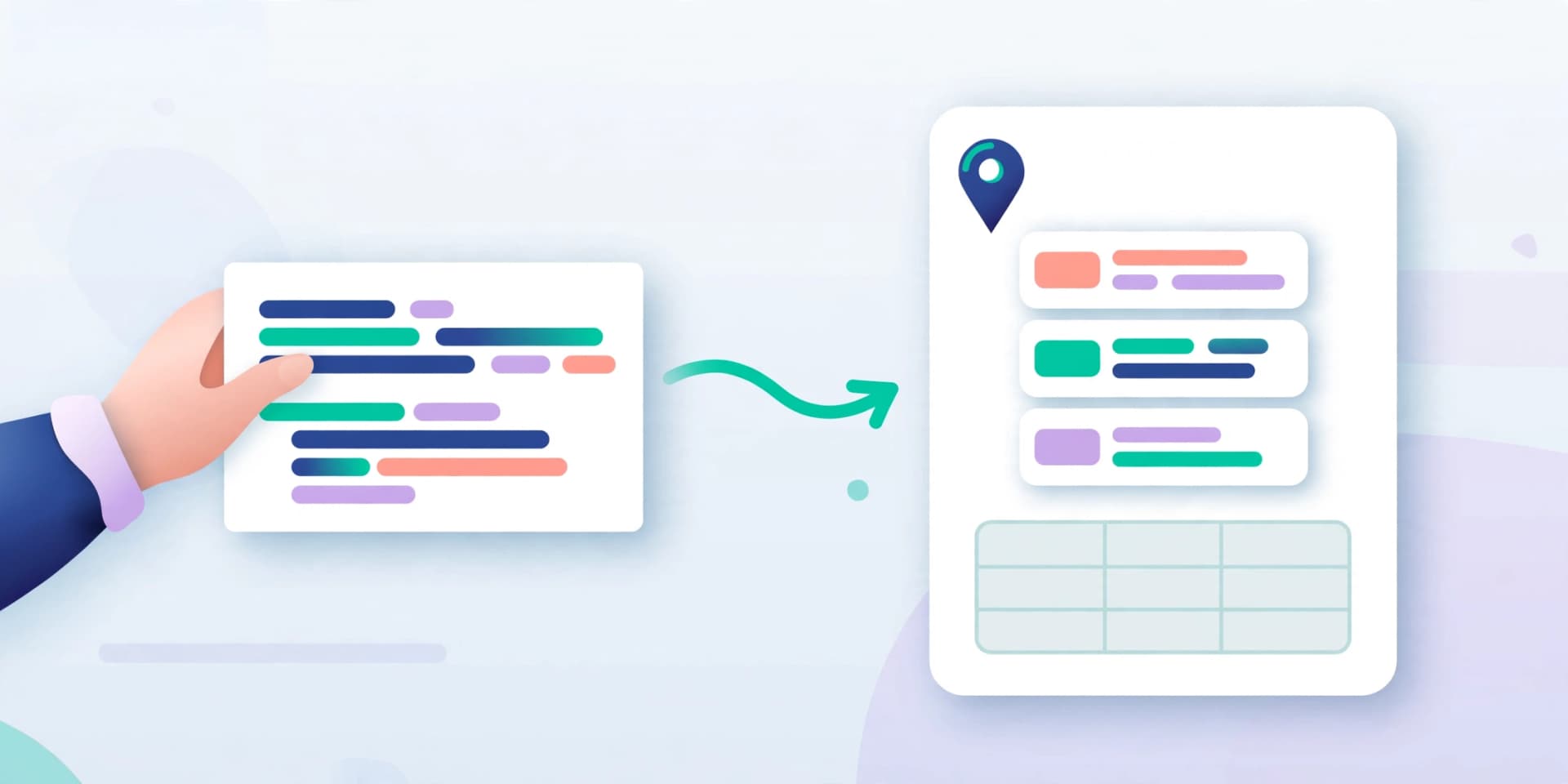
How does a scheduled post move through the API?#

Which fields are specific to Google Business Profile?#
| Field | Notes |
|---|---|
topicType | STANDARD (What's new, the default), EVENT or OFFER. |
eventTitle | Required for EVENT and OFFER: the event or offer title. |
eventStart / eventEnd | YYYY-MM-DD or YYYY-MM-DDTHH:MM. eventStart is required for EVENT and OFFER. |
offerCouponCode / offerRedeemUrl / offerTerms | Optional offer details, shown on an OFFER post. |
callToAction | BOOK, ORDER, SHOP, LEARN_MORE, SIGN_UP or CALL — the post's action button. |
callToActionUrl | Required with every button except CALL, which dials the profile's phone number. |
What does a request to schedule a Google Business Profile post look like?#
{
  "clientId": "00000000-0000-4000-8000-000000000001",
  "content": "Two-for-one lattes all weekend at the harbour cafe.",
  "targets": { "mode": "accounts", "accountIds": ["00000000-0000-4000-8000-000000000002"] },
  "schedule": { "type": "at", "scheduledAt": "2030-01-15T15:00:00Z" },
  "variants": [
    { "platform": "google_business", "overrides": { "topicType": "OFFER", "eventTitle": "Two-for-one lattes", "eventStart": "2026-12-05", "eventEnd": "2026-12-06", "offerCouponCode": "LATTE2" } }
  ]
}What are Google Business Profile's limits through the API?#
| Fact | Value |
|---|---|
| Max caption length | 1,500 characters |
| Media per post | 1 photo per post (JPG or PNG). |
| Native platform scheduling | No. SkedCast holds the timer and publishes at the scheduled time. |
| SkedCast's default pacing | 10 / day, with at least 1 hr between posts, per account. This is SkedCast's per-account pacing, not Google Business Profile's own published limit. See the rate limits reference. |
Published-post URL (permalink) | Google's searchUrl for the post, returned when it publishes. |
How do you read the status and result of a post?#
GET https://api.skedcast.com/v1/post-targets/{id} returns the Google Business Profile target's status (for example scheduled, on_hold, published, failed or missed). Once the post is published, externalId and permalink point at the live post (see the table above).
on_hold:holdReasonsays why (pacing, a platform limit, media still processing, your plan, or a channel that needs reconnecting) andretryAtsays when the next try is.missed: the scheduled time passed while the post waited.outcomeReasonsays why; reschedule it.failed:failureReasonsays why. When the post may already be live,outcomeReasonisdelivery_unconfirmed: check the account, because a retry is refused.requiredActionsays what you must do (reconnect_channel,change_plan,contact_support,reschedule,retry,check_platform,edit_postorturn_channel_on), or isnullwhen nothing is needed.- Instead of polling, subscribe to the
target.publishedandtarget.failedwebhooks (one per destination;post.publishedandpost.failedreport the whole post). See the webhooks reference below. - Or connect an MCP client and ask an agent to check. See the MCP hub below.
How do you get an API key for scheduling to Google Business Profile?#
Create a key in SkedCast under Settings, then Developer; an Owner or a Manager can do it, and API access starts on the Studio plan. Give the key only the scopes your integration needs, such as posts.compose to schedule and posts.read to read results, and keep it on your server.
The developer documentation is the starting point for everything else, and the authentication guide shows how to send the key on each request.
How do you keep Google Business Profile API publishing reliable?#
Three habits keep your Google Business Profile integration dependable on an ordinary day: a dry run with POST /v1/posts/preview before anything is scheduled, large batches sent with POST /v1/posts/bulk, and an Idempotency-Key on every write so a retry cannot double a post. Each one has its own short section below.
How do you test Google Business Profile scheduling safely?#
Send your request to POST /v1/posts/preview first: it runs every check SkedCast makes for Google Business Profile and the other platforms in the request, and creates nothing. Fix what it reports, then send the same body to POST /v1/posts.
A key that starts with sked_test_ is not a sandbox: it acts on real accounts. Test against a Google Business Profile account you own and do not mind posting to, and schedule test posts far enough ahead to cancel them.
How do you send many Google Business Profile posts in one request?#
POST /v1/posts/bulk takes up to 50 posts in one request, each with the same body as a single post, and returns a result for each. Use it for a week or a month of posts from your own system, and keep times spread so SkedCast’s pacing per account does not hold them back.
For plans that live in a spreadsheet rather than code, the bulk scheduling feature imports a file without writing a request.
How do you keep retries from creating duplicate posts?#
Send an Idempotency-Key header on every request that creates or changes something, with a new value for each logical operation and the same value when you retry it. A timeout followed by a retry then returns the first result instead of creating a second post.
Retry network errors and 5xx responses with the same key; do not retry validation errors, which fail the same way again. The quickstart shows the header on a first request.
How do you know when a Google Business Profile post is published?#
Subscribe to webhooks instead of polling: target.published carries the post’s link once it is live, and target.failed carries the reason when it is not. Check the signature on every delivery before trusting the body.
The webhooks reference lists every event, the signature scheme and the retry schedule.
How should your code read an error?#
Every error is a problem-details object with a code and a detail, so read those rather than the status code alone; one status can carry several reasons. A missing scope, a role that cannot act on a client or a field a platform refuses each come back with their own code.
The error reference lists every code and what to do about it.
Should you use the REST API or an AI assistant for Google Business Profile?#
Use the REST API for work your own system runs on a timetable, such as publishing from a product catalog or a content system. Use an AI assistant through SkedCast’s MCP server when a person wants to plan, draft and schedule in conversation, with each change confirmed.
Both act on the same posts and follow the same rules. The MCP hub lists the assistants that connect, and the scopes page covers what each key or token may do.
How do you upload images and video for Google Business Profile through the API?#
Send the file to SkedCast first, then attach its media id to the post. POST /v1/media/presign returns an upload URL for a file you hold, and POST /v1/media/import-url fetches a file that is already at a public URL. A large file goes up in parts and is finished with POST /v1/media/{id}/complete.
SkedCast checks each file and prepares the versions a platform needs, so you upload one master file rather than one per network. The Google Business Profile scheduler page lists the formats Google Business Profile accepts.
How do you know a file is ready to publish?#
Read GET /v1/media/{id} and wait for publishable to be true. That field turns true once processing has finished and a safe master file exists, and the response also says, per platform, whether the file is ready, still being prepared, or cannot be used there.
Wait on publishable, not on a list of renditions: some platforms take the master file as it is, so no separate rendition is ever made for them.
How do you manage Google Business Profile posts after they are scheduled?#
Once a post exists you can change or cancel it with PATCH /v1/posts/{id} and the post-target routes, and read what it earned with GET /v1/analytics/overview and GET /v1/analytics/posts/{id}. Each one has its own short section below.
How do you change or cancel a scheduled Google Business Profile post?#
Edit the post with PATCH /v1/posts/{id} while it waits. To move one destination to a new time, call POST /v1/post-targets/{id}/reschedule; to stop it, POST /v1/post-targets/{id}/cancel; and to try a failed one again, POST /v1/post-targets/{id}/retry. Each change carries its own Idempotency-Key.
After a post is live, POST /v1/posts/{id}/targets/{targetId}/edit-published changes it where Google Business Profile allows edits to a published post; the API reference lists the fields each route takes.
How do you read Google Business Profile results through the API?#
GET /v1/analytics/overview returns totals and a per-platform breakdown for a date range, and GET /v1/analytics/posts/{id} returns one post’s figures for each destination. Both need a key with the analytics.read scope.
Each figure uses the platform’s own names and definitions, so a view on Google Business Profile is not added to a view elsewhere as if they were the same. Store the numbers with the date you read them, because platforms revise recent figures.
How do you keep an API key safe?#
Keep the key on your server, never in a browser, a mobile app or a public repository, and give each integration its own key so one can be revoked without stopping the others. Every key is created with an expiry date and shown once.
SkedCast emails the key’s owner a week and a day before it expires, so a working integration does not stop unannounced. Revoke a key at once in Settings, then Developer, if it may have leaked, and create a new one.
Can one request schedule to Google Business Profile and other platforms at once?#
Yes. One POST /v1/posts body names every account in targets.accountIds, so a single request can publish to Google Business Profile and the client’s other networks at the same time. Each account becomes its own destination with its own status, so one network refusing a post does not stop the others.
Add a variants entry for a platform when Google Business Profile or another network needs different text or options; the base content goes to every destination without a variant. The API reference lists the override fields each platform accepts.
How do you move an integration from another scheduler’s API?#
Map your current calls to SkedCast’s one by one: accounts to GET /v1/accounts, scheduling to POST /v1/posts, status checks to webhooks. Run both side by side for a week on a test account, compare what published, then switch the remaining calls.
Keep your own ids for posts and accounts beside SkedCast’s, so reports and links keep working during the change. The quickstart gets the first request working in a few minutes.
Which other platforms can you schedule to through the SkedCast API?#
The same requests, keys and webhooks work for every platform; only the content rules differ. Each platform has its own page: Instagram API, Facebook Pages scheduling API, Pinterest, Bluesky API, LinkedIn scheduling API, Telegram, Threads API, TikTok scheduling API, X (Twitter), YouTube API.
Two guides apply to every platform: the onboarding customers through the API shows how to connect a client’s accounts with a connect link instead of their password, and the OpenAPI 3.1 SDK guide shows how to generate a typed client for your language.
What should you check before launching a Google Business Profile integration?#
Run through the flow once end to end:
- Connect a Google Business Profile account you control and schedule a test post through the API.
- Validate the request with the preview endpoint before sending it for real.
- Confirm your system receives target.published and stores the link.
- Retry a request with the same Idempotency-Key and confirm no duplicate appears.
- Handle a refusal: send a post that breaks a rule and confirm your code reads the code and detail.
How does the Google Business Profile API work through SkedCast?#
The Google Business Profile API in SkedCast is one POST /v1/posts call with the text, an optional photo, the connected location and a time. SkedCast checks the post against Google's rules when you send it, holds it, and creates the local post at the scheduled time through Google's own Business Profile API.
Google's API creates posts on a location with accounts.locations.localPosts and needs OAuth 2.0 credentials for the account that manages the location. SkedCast holds that connection for you, so your request carries only your SkedCast API key and the location's connected account id.
- Connect each location once, from the console or through a connect link a client opens. The Google Business Profile scheduler page shows the console side.
- Upload the photo to the content library, or import it from a public address, and pass the asset id in
mediaIds. - Send
POST /v1/postswith the text,targets, ascheduleof typeat, and the google_business variant for an event or an offer. - Read the result with
GET /v1/post-targets/{id}or thetarget.publishedwebhook, which carries Google'ssearchUrlfor the post.
Which post types and buttons does Google's API support?#
| Item | What Google's documentation says |
|---|---|
| STANDARD | Basic information, such as a summary and images (a What's new update) |
| EVENT | Basic information plus an event with start and end dates and times |
| OFFER | An event plus offer content such as a coupon code, a redeem link and terms |
| ALERT | Timely announcements; not always available for authoring |
| Product posts | Cannot be created through the API |
| Buttons | BOOK, ORDER, SHOP, LEARN_MORE, SIGN_UP and CALL |
What does SkedCast check before it posts to a location?#
SkedCast checks every post against its Google Business Profile rules when you send the request: up to 1,500 characters of text, at most one photo, an event title and start for events and offers, and a link for every button except Call. A post that breaks a rule comes back as a validation error naming the field, before anything is scheduled.
Send the same body to POST /v1/posts/preview for a dry run that reports each platform's verdict without creating a post. The Google Business Profile image sizes guide helps you export the photo at a good shape.
What do Google's post states mean?#
Google's documentation lists the states a local post moves through: PROCESSING while Google prepares it, LIVE once it appears in search results, SCHEDULED and RECURRING for posts Google itself times, and REJECTED when a post breaks Google's content policy.
In SkedCast you read the outcome on the target: published once Google accepts the post, with its searchUrl, or failed with a failureReason when Google refuses it. A rejection for content policy is fixed by changing the post, not by retrying it.
How do you schedule an offer through the API?#
Set topicType to OFFER in the google_business variant, give the offer a title in eventTitle, a start in eventStart and an end in eventEnd, and add the coupon code, redeem link and terms if the offer has them. Google shows the dates on the post, so a customer can see at a glance when the offer runs.
Schedule the offer a few days before it starts, while customers are still deciding, and add a button that leads straight to booking or ordering. The Google Business Profile integration page shows the same fields in the console.
How do multi-location businesses use the API?#
Each location is its own connected account in SkedCast, so a post can go to every location at once or to one location only, with the same POST /v1/posts call. Put the locations in targets, and use the variant to change the button link per location when each has its own booking page.
For brands with many locations, group them by client or region in the workspace. The multi-location industry page covers the setup.
Can you edit or delete a scheduled post through the API?#
Yes, before it publishes: PATCH /v1/posts/{id} changes a scheduled post, and POST /v1/post-targets/{id}/cancel stops one location's post from going out. Google's own API also lets a published local post be edited with PATCH and removed with DELETE.
Change the post in SkedCast rather than on Google directly, so the record in your workspace matches what customers see.
What mistakes should you avoid with the Google Business Profile API?#
Most refusals come from a missing field or a policy problem:
- An event or offer without an event title and start; both are required.
- A button other than Call without a link; every other button needs a URL.
- Trying to create a product post; Google's API does not allow it.
- Retrying a post Google rejected for content policy; change the post instead.
- Sending more than one photo; a local post carries one.
Sources#
Google's facts on this page come from its own Business Profile API documentation, read on 20 November 2026 (the OAuth setup page on 24 November 2026). The developer documentation covers SkedCast's side.
- Google for Developers, Create Posts on Google: post categories, call-to-action types, editing and deleting, and product posts, read 20 November 2026.
- Google for Developers, REST Resource accounts.locations.localPosts: topic types, post states and offer fields, read 20 November 2026.
- Google for Developers, Business Profile APIs OAuth setup: OAuth 2.0 lets a platform act on behalf of business owners, read 24 November 2026.
- Field names, limits and error codes of SkedCast's own API come from its API reference and OpenAPI document, which are generated from the schemas the API enforces.
FAQ
- Is there a Google Business Profile API for scheduling posts?
- Yes. SkedCast gives you a Google Business Profile API for scheduling posts: the same POST /v1/posts call as for every other platform, with the connected location in targets and a scheduledAt time. SkedCast holds the timer and publishes the post to the location at that time, then reports the result by GET or webhook. The API is included from Studio.
- Which post types does the Google Business Profile API accept?
- Three: a What's new update, an event and an offer, set with topicType (STANDARD, EVENT or OFFER). An update can be text only, up to 1,500 characters, with one optional JPG or PNG photo of up to 5 MB. An event or an offer also needs eventTitle and eventStart, and an offer can add a coupon code, a redeem link and terms. A button (Book, Order, Shop, Learn more, Sign up or Call) is optional.
- Can I create product posts through the Google Business Profile API?
- No. Google's documentation says product posts cannot be created through its API. SkedCast schedules What's new updates, events and offers.
- Why was my Google Business Profile post rejected?
- Google marks a post as rejected when it breaks Google's content policy. Change the text, photo or link that caused it and schedule the post again; retrying the same post will not help.